


One Big Word
0.00.00 Reviews
App Specs
- Version
- 0.1.10
- Updated On
- License
- Free
- Downloads
- 10,000+
- Developer
- Fugo Games
- Categories
- Word
- Platform
- Android
Screenshots
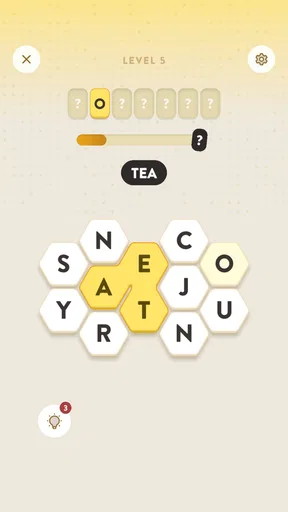
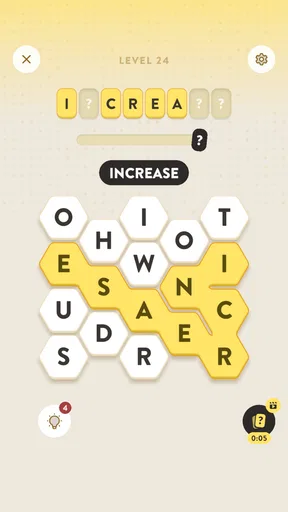
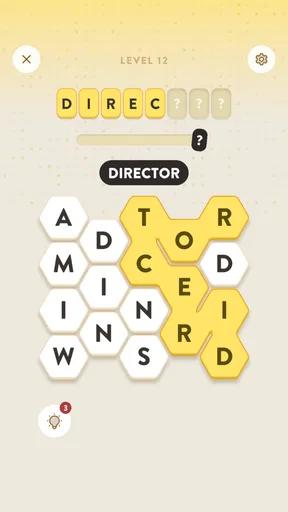
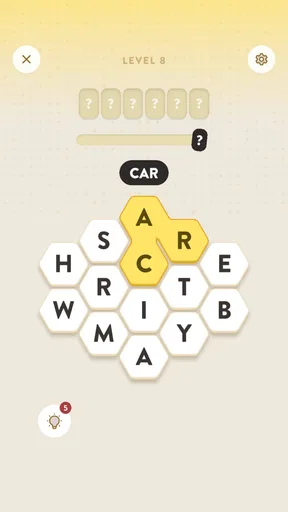
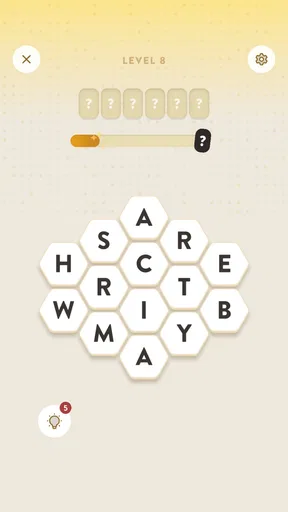
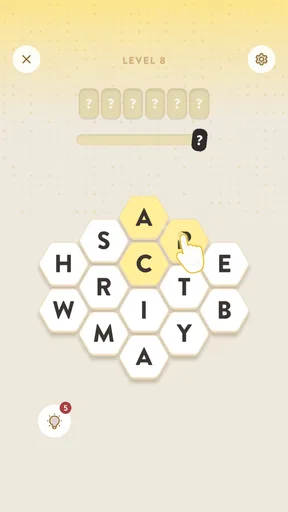
 Analysis by AppCompare
I approached One Big Word as a small, focused word game rather than something designed to fill an entire evening. Its central idea is easy to understand: each level points toward one larger target word, while the player searches for shorter words along the way. That simple structure makes it immediately approachable, but the real question is whether the presentation and pacing make it comfortable for different players and different situations.
After spending time with it, my impression is that this is best suited to people who enjoy quiet vocabulary challenges without the pressure of a timer-heavy arcade game. It is free to play, made by Fugo Games, and listed for Everyone. The current version is 0.1.10, and it requires Android 8.0 or later. Those details make it fairly easy to try on a broad range of Android phones, although the experience itself still depends on how clearly your particular screen displays the letters and how comfortably you can interact with it.
A clear word hunt with a gentle learning curve
I like how the larger target gives each level a sense of direction without turning the word hunt into a race. That makes it easier to pause, consider a few possibilities, and return with a fresh approach instead of tapping at random. The next section looks at how that simple idea can shape the way I tackle a puzzle.
Readability and navigation
The strongest part of the design is its basic mental model. I never had to wonder what kind of activity the game wanted from me: I was looking for smaller words that helped me reach a larger one. That gives each level a recognizable destination, which is more reassuring than a word puzzle that simply presents a random grid and expects the player to experiment without context.
For a new player, this matters. A child who is comfortable reading simple words can understand the objective quickly, while an adult can begin playing without studying a complicated rule set. The Everyone content rating fits that approachable tone. I would still treat the rating as a general suitability guide rather than a guarantee that every level will feel equally easy, because vocabulary knowledge naturally varies between players.
The game’s compact concept also reduces the amount of navigation a player has to learn. There is no need to manage a large collection of modes in order to understand the main activity. That is useful for people who find crowded menus tiring or who prefer to start playing immediately. In my experience, a word game is more welcoming when the challenge comes from the language rather than from finding the correct button, and this title generally points attention in the right direction.
There is a practical trade-off, though. A minimal word-game structure can feel less informative than a larger puzzle app with detailed explanations, extensive progress tools, or several clearly separated practice modes. If you want to study why an answer works, build a personal vocabulary list, or track detailed performance patterns, this is probably not the kind of app I would choose first. Its appeal comes from the puzzle itself, not from turning every answer into a lesson.
Worth Reading Before You Choose

EA SPORTS FC Mobile 26 Is a Bigger Football Game, but It Takes Time

Flipboard Shows What News Apps Must Do Beyond the Feed

Switching to Android Auto Means Rethinking Your Driving Routine

Google Calendar Makes a Crowded Week Easier to Manage

Ludo King Makes the Most of the Minutes Between Plans

Baby Panda World Brings Quick Play to Modern Phones, but Its Game Library Feels Busy
How the target-word structure changes the experience
The larger word at the end of a level gives me a useful way to organize my thinking. Instead of tapping through possibilities without a plan, I can look for familiar fragments, likely prefixes, suffixes, or shorter words that may point toward the final answer. That makes the game a little more strategic than a basic anagram exercise, even though the premise remains easy to grasp.
One tip I found useful is to avoid committing too quickly to the first obvious short word. A common word may be valid and still provide little help with the larger target. I get better results when I treat early discoveries as clues about the available letters and then look for relationships between them. This approach is especially helpful for players who know many words but tend to guess randomly when a puzzle does not resolve at once.
Another useful habit is to change the scale of attention. When I get stuck, I stop staring at the whole puzzle and search for smaller, familiar combinations first. That reduces the feeling that the answer must appear all at once. It also makes the game more manageable for players who become overwhelmed by a dense arrangement of letters or who prefer to solve problems in short steps.
The reverse can help too. If a level seems full of easy short words, I use them as a map rather than treating them as separate victories. Asking what those words might have in common can reveal the direction of the larger answer. This is a modest but meaningful difference from ordinary word searches, where finding individual entries may be the entire goal.
Motor and sensory considerations
From an interaction point of view, a word game has one natural advantage: it does not demand the rapid movement, precision aiming, or repeated timing found in many action games. That makes this a calmer option for players who prefer deliberate taps and pauses. Someone using the game with limited dexterity may find the slower vocabulary focus more comfortable than a title built around fast reactions.
That does not make every interaction effortless. Letter-based play still requires accurate visual targeting and enough control to select the intended characters. If a player has reduced fine-motor control, small touch targets or tightly arranged letters could become frustrating, particularly during longer sessions. I would recommend trying it briefly rather than assuming that a simple word mechanic automatically means easy physical access.
Visual comfort is equally important. The game depends on distinguishing letters and reading them in relation to one another, so players with low vision, visual fatigue, or difficulty with certain type styles may need to adjust their phone’s general display settings if those settings help. I would not rely on the game for specialized accessibility support without testing it directly on the device being used. The practical experience can change considerably between a compact phone and a larger display.
For players with dyslexia or other reading-related difficulties, the game may be enjoyable in short, low-pressure sessions, but the same letter-focused design can also create friction. The goal is built around recognizing words, not around spoken clues or visual alternatives. A player who finds letter order difficult may prefer an audio-supported vocabulary game or a puzzle with stronger visual grouping. That is not a criticism of this particular concept; it is a reminder that word recognition is not equally comfortable for everyone.
Sound sensitivity is less central to the decision than in an action title because the main challenge is visual and linguistic. Still, I usually test any game in a quiet setting first and then in a busier one, since background conditions can affect concentration even when sound is not part of the puzzle. The important point here is that the game’s accessibility is likely to depend more on reading comfort, touch accuracy, and cognitive load than on reaction speed.
Where it fits into everyday life
I can see myself using this during a short break, while waiting for an appointment, or at the end of the day when I want something more engaging than scrolling but less demanding than a full strategy game. The target-word format gives a session a natural stopping point: I can work on one level, pause when my attention drops, and return later without needing to remember a long story or a complicated set of controls.
That makes it a reasonable choice for commuters and casual players, provided they are in a place where reading a phone screen is comfortable. On a moving bus, in bright sunlight, or in a crowded room, the challenge may become less pleasant because concentration and visibility are already under pressure. In those situations, a game with larger visual elements or audio interaction could be a better fit.
It also has potential as a shared, low-pressure activity. I can imagine two people looking at a level together and suggesting possible short words without the competitive tension of a timed match. That could work well between family members with different ages or vocabulary strengths. The younger player can contribute quick discoveries, while the older player may notice less obvious word relationships. The game does not need to be treated as solitary, even though its basic design supports solo play naturally.
For language learners, I would be more cautious. The puzzles may encourage curiosity about word patterns, but a learner could also run into unfamiliar vocabulary without enough context to understand why it matters. I would use it as a light supplement after building a basic vocabulary, not as a replacement for a structured language course. A dictionary or translation tool nearby could turn difficult levels into useful practice, but that extra effort belongs to the player rather than being the central promise of the game.
Comparison with familiar word-game alternatives
Compared with a crossword, this game feels more direct. Crosswords usually depend on clues, general knowledge, and the ability to interpret a sentence or definition. Here, the player’s attention stays closer to the letters and the relationship between small discoveries and the larger target. I would choose this title when I want a more immediate puzzle and a crossword when I want a broader test of knowledge.
Compared with a classic word search, the goal feels less like scanning a fixed field for a list of hidden entries. The large target gives the level a stronger sense of direction, while the smaller words function as stepping stones. Players who enjoy the relaxing visual search of a traditional word search may find this more mentally demanding, but players who want their discoveries to contribute to a final answer may prefer the added structure.
Compared with competitive word games, the attraction is its quieter pace. There is less reason to worry about being faster than another player, which can help people who dislike leaderboards or pressure. The downside is that players who need constant novelty, head-to-head tension, or a strong social layer may find it restrained. In that case, a multiplayer word app would probably provide more energy and replay motivation.
It also differs from vocabulary-learning apps. Those apps often explain definitions, repeat difficult terms, and organize progress around learning goals. One Big Word is primarily a puzzle experience. I enjoy it more when I treat each level as a small reasoning problem rather than expecting a formal educational system. That distinction is important for parents and teachers deciding whether it belongs in a learning routine.
Remaining barriers and practical trade-offs
The biggest limitation is that the game’s simplicity can work against players who want depth beyond the core word hunt. A focused design is welcoming at first, but it may not satisfy someone looking for multiple difficulty systems, extensive customization, or a detailed record of improvement. I would describe it as a clean casual puzzle rather than a complete vocabulary toolkit.
The free entry point is helpful for trying the experience without a purchase. At the same time, in-app purchases range from $1.49 to $5.99 per item. That does not automatically make the game unsuitable, but it is worth remembering if the device is shared with children or if you prefer games with no optional spending. I would check purchase controls on the device before handing it to a younger player, especially because the Everyone rating describes content, not spending habits.
Another trade-off is the difference between being easy to understand and being easy to solve. The instructions can be simple while the vocabulary challenge still varies sharply from one player to another. Someone with a large English vocabulary may move quickly through a level that leaves another player stuck, while a child may enjoy the discovery process without caring about speed. I would avoid judging the game by how quickly another person completes it.
Players who need strong assistive support should test the actual interface before committing to regular use. Reading order, touch accuracy, contrast, and the size of the letter area all matter here, and general phone settings may help only partially. Likewise, anyone who experiences fatigue from sustained close reading should plan short sessions and increase text size at the system level if that improves comfort. Those are sensible precautions, but they cannot replace app-specific accessibility controls.
There is also a cognitive consideration that is easy to overlook. The game asks the player to hold several possibilities in mind while searching for a larger answer. That can be satisfying for someone who enjoys mental association, but tiring for someone who wants a clearly signposted clue at every step. If you prefer direct definitions or visual hints, a clue-driven crossword may feel fairer and more transparent.
Who I would recommend it to
I would recommend it to casual word-game fans who want a compact challenge with a clear objective and no need to learn a complicated world around it. It is particularly suitable for players who enjoy finding patterns, testing vocabulary, and solving at their own pace. The game can also work well for family members who want to discuss possible answers together without turning the session into a contest.
I would be careful recommending it as the main choice for someone who needs formal language instruction, detailed accessibility options, or a highly social experience. A learner may need definitions and repetition that the puzzle format does not provide. A player with motor or visual needs may find the letter interaction comfortable, or may find it difficult; the only responsible approach is to try it on the intended device. Someone seeking fast action should simply choose a different genre.
Its Android requirement is modest enough for many users, and the free price makes experimentation straightforward. The developer, Fugo Games, has kept the premise narrow, which helps the first session feel approachable. I would still treat the listed version, 0.1.10, as a reason to keep expectations measured rather than assuming the game already offers the breadth of a long-established word platform.
My inclusive verdict
One Big Word succeeds because it turns a familiar vocabulary activity into a sequence of focused discoveries. I like that the larger answer gives purpose to the smaller words instead of making every find feel isolated. The result is gentle enough for a break, but thoughtful enough to reward players who look for connections rather than tapping at random.
Its inclusive qualities come mainly from its calm pace, simple premise, and reduced dependence on fast reactions. Those strengths can make it more approachable for some players with limited dexterity, for older users who dislike frantic controls, and for families sharing a relaxed puzzle. They do not solve every access need, however. Reading comfort, touch precision, visual clarity, and tolerance for word-based mental effort remain important.
My recommendation is to try it as a focused, low-pressure word puzzle, not as a complete learning or accessibility solution. If you enjoy discovering how short words can lead toward a larger target, it offers a distinctive reason to keep playing. If you need spoken guidance, extensive customization, competitive multiplayer, or detailed vocabulary teaching, another app will likely serve you better. For the right player, though, its restraint is the point: it gives one clear kind of challenge and lets the pleasure come from finally seeing the big word.
Pros
- Simple word puzzles are easy to learn and suitable for quick play sessions.
- Progressive challenges help improve vocabulary and spelling skills.
- Clean interface keeps the focus on solving each puzzle.
- Works well for casual players who prefer relaxed gameplay.
- Short levels make it convenient to play without a large time commitment.
Cons
- Some puzzles may feel repetitive after extended play sessions.
- Difficulty can vary noticeably between consecutive levels.
- Players seeking action or deep strategy may find it too simple.
- Hints or extra features may reduce the challenge for experienced players.
- Replay value can be limited once familiar puzzles have been completed.
FAQs for One Big Word
What is One Big Word, and how does the game work?
One Big Word is a word-based puzzle game centered on discovering, forming, or identifying a prominent target word from the letters and clues presented in each challenge. After installing it, players can expect short, focused rounds that are easy to start but may become increasingly demanding. The game is designed for casual play, making it suitable for quick sessions while still testing vocabulary, spelling, pattern recognition, and problem-solving skills.
Is One Big Word free to download and play?
One Big Word can generally be downloaded at no initial cost, allowing players to try its core puzzles before deciding whether it suits them. However, the free version may include advertising, optional purchases, or restrictions on certain features, hints, lives, or additional content. It is worth checking the store listing and the in-app purchase section before downloading, especially if the game will be used by children or on a shared device.
Does One Big Word require an internet connection?
The basic word puzzles in One Big Word may be playable without a permanent internet connection, which is convenient for travel, commuting, or areas with unreliable service. Nevertheless, some functions can depend on connectivity, including advertisements, account synchronization, online rankings, updates, cloud progress, or newly delivered challenges. For the most accurate experience, open the game once while online and verify which modes remain available when the device is placed in airplane mode.
Is One Big Word suitable for children and language learners?
One Big Word can be a useful choice for children, students, and language learners because its gameplay encourages spelling practice, vocabulary development, and recognition of common word patterns. The difficulty may vary between levels, and some answers can be challenging for younger players or people learning English. Parents should review the game’s advertising, privacy information, and purchase settings, while learners should remember that the app is a practice tool rather than a complete language course.
What should I know about hints, advertisements, and in-app purchases?
As with many free puzzle games, One Big Word may use advertisements or optional purchases to support development. Hints can be helpful when a level becomes difficult, but they may be limited, earned slowly, or offered through rewarded videos and paid bundles. Before spending money, try the available free progression and review the pricing shown inside the app. Disable accidental purchases through your device’s parental or authentication settings if necessary.


